
R
Markdown + Vim fan. Love sharing knowledge with the community
Dev-san, gambare! ᕙ( •̀ ᗜ •́ )👍
Debe configurarse el archivo
// Ghost BSD
$ vi /usr/local/etc/openfortivpn/config

// Ubuntu
$ nano /etc/openfortivpn/config
Use persistent=10 to prevent the connection from closing.
Add connections for your own servers (e.g., self-hosted Git repo)
$ sudo vi /etc/hosts

// add this line
<ip> <url_git_server>
Connect with
$ sudo openfortivpn -c <config_file_route> --persistent=10
The connection may be rejected on the first attempt. The error message will display trusted-cert. Copy and paste the line trusted-cert = into the configuration file and reconnect.
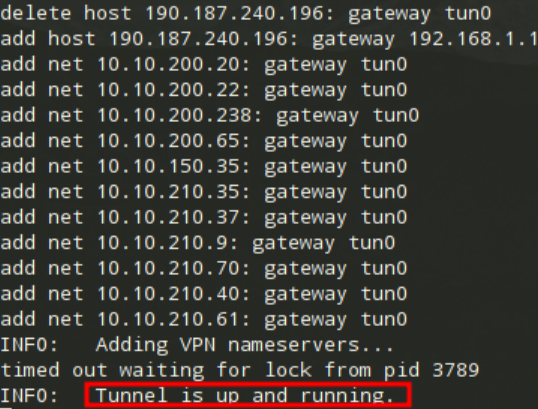
When the connection is successful, this screen will be displayed (Ghost BSD).