
Enable Prettier Code Formatter in Vscode
Simple Steps to Activate Prettier in VSCode

Previously I made a tutorial of using Prettier code Formatter in Windsurf. Since I am also editing projects in vscode I present these notes of how to setup Prettier.
To put it simple, if you dont use a formatter you will have long lines of text that you will need to scroll, you will have to write array lists carefully of using spaces for all elements. You will have to adjust your indents manually and so on 🥱.
Just delegate those tasks to a formatter and forget those details 🤩
How to set it up fast 👟🏃🏼♀️➡️🏁
From Extensions menu download Prettier in vscode (shortcut shift+ctrl+x)
Access vscode the settings with by pressing ctrl+,
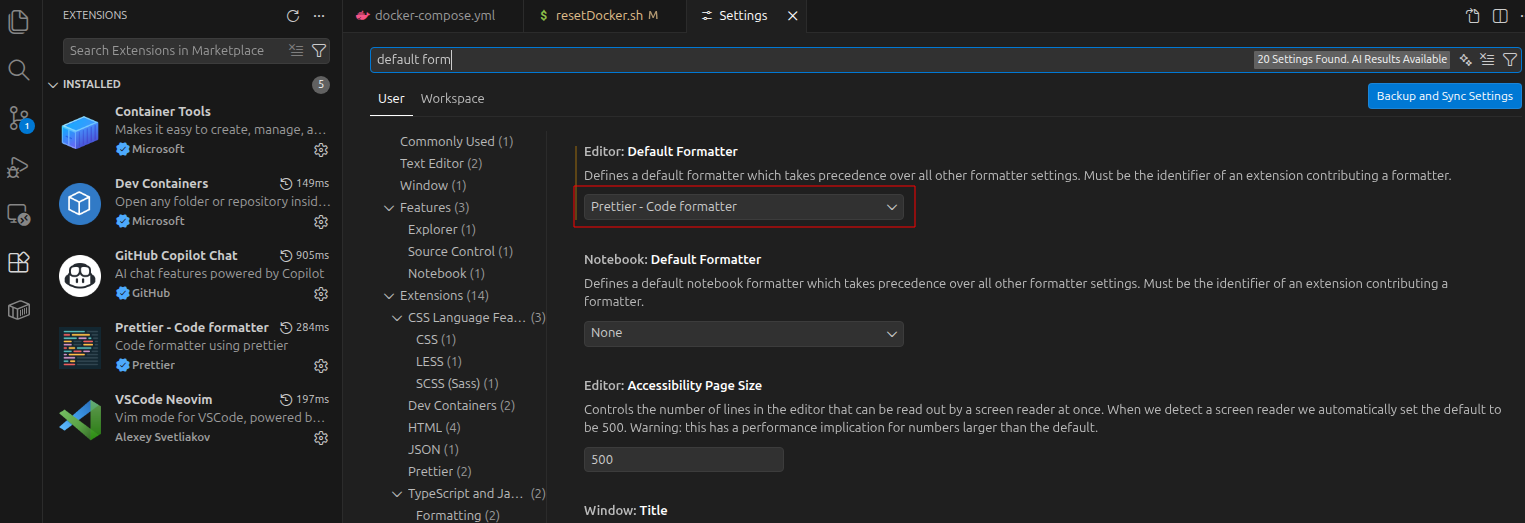
In search bar type “default formatter“. Select Prettier
In the search bar, type “format on save”.
- Enable Editor › Format On Save by checking the box.

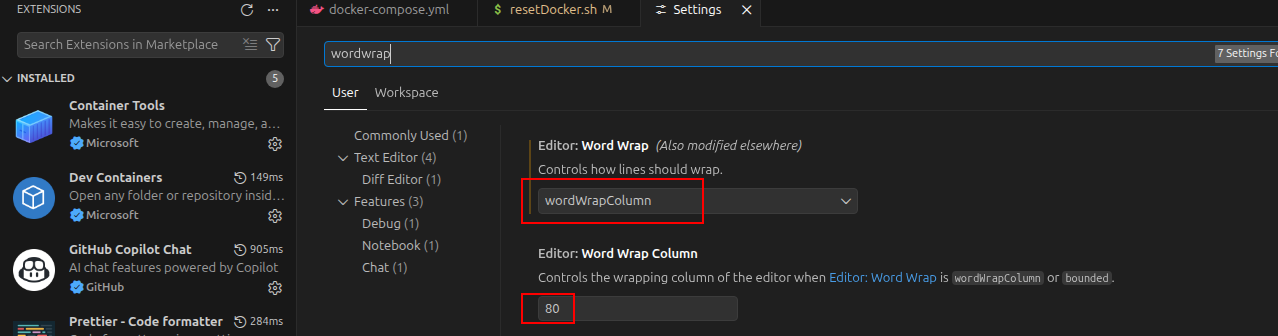
Finally, in search bar type “wordwrap“
- Select “wordWrapColumn“. write how many characters per column you want (default is 80)
Your rig is setup now! everytime you save, the format will be applied to your code.
About the author
- Markdown + Vim fan. Love sharing knowledge with the community Dev-san, gambare! ᕙ( •̀ ᗜ •́ )👍
Comments
Join the discussionNo comments yet. Be the first to comment.
editor extensions
here I describe how to install and use extensions for electron based editors like vscode, windsurf, etc.