

I use Windsurf to edit my code. I find that formatting html by myself is boring. I found this way to delegate that task to the editor. Follow these steps if you also want to do so.
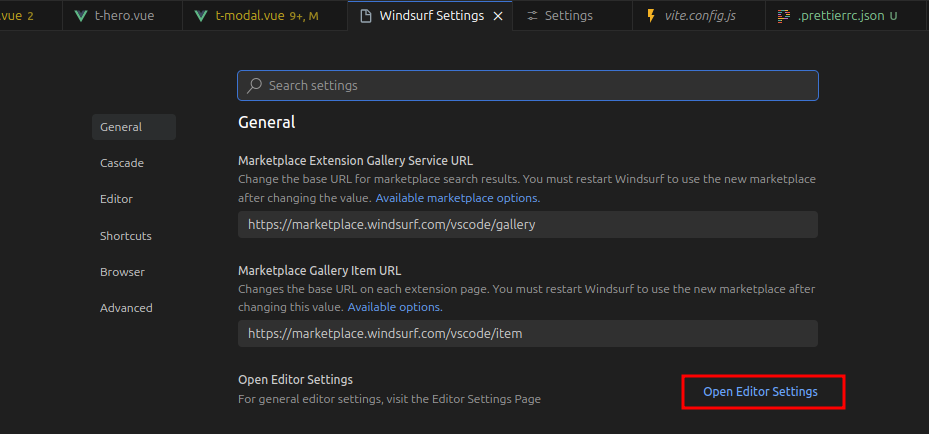
Go to VSCode/Windsurf Settings with Ctrl + , click Open Editor Settings
Set code formatter
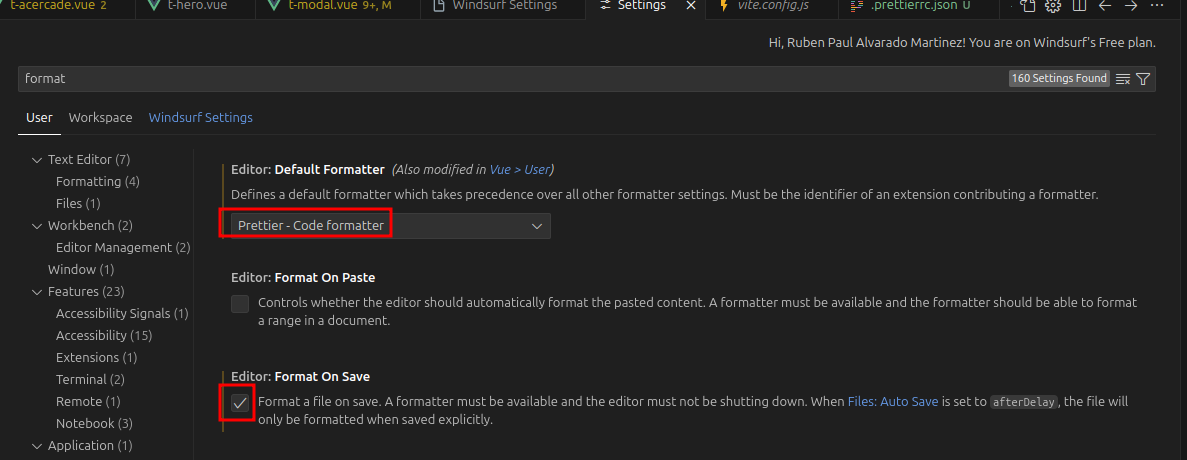
Install Prettier Extension to your editor. After that, go to Editor Settings and search format. In editor select Prettier. Enable Format on Save
Wrap code to next line when it is too long
go to Editor settings and search for wordwrap
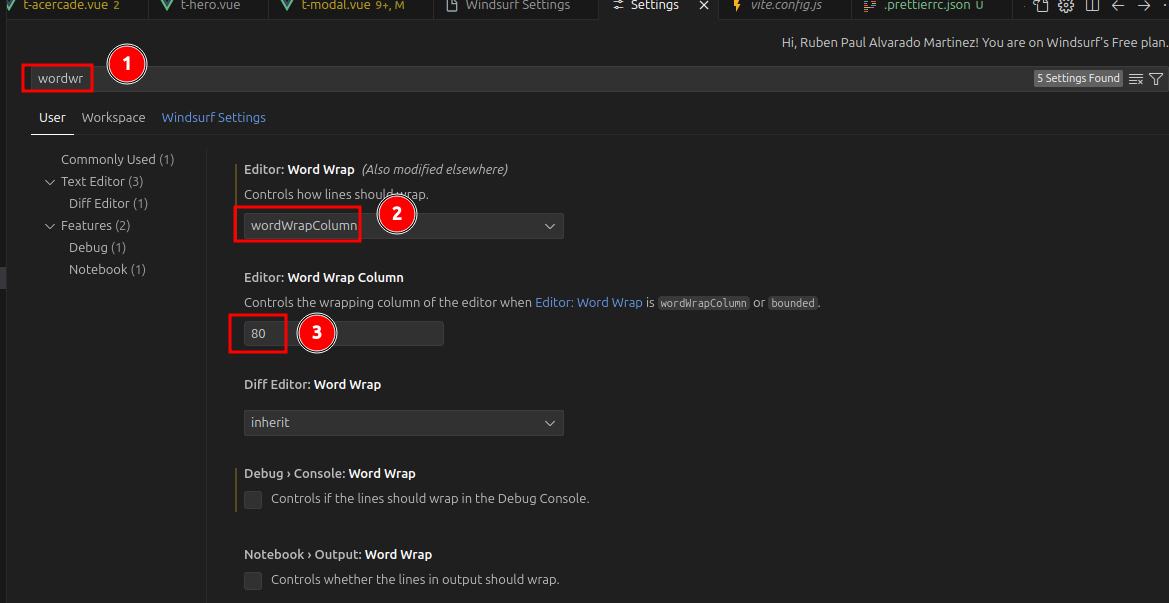
you can set how many characters you want to see using the option wordWrapColumn (e.g. 80 chars)
About the author
- Markdown + Vim fan. Love sharing knowledge with the community Dev-san, gambare! ᕙ( •̀ ᗜ •́ )👍
Comments
Join the discussionNo comments yet. Be the first to comment.
editor extensions
here I describe how to install and use extensions for electron based editors like vscode, windsurf, etc.